Follow the steps below to check which of your contractors have liability insurance
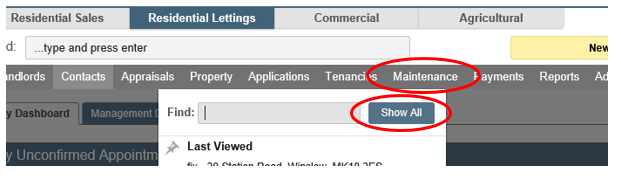
Click on the Maintenance tab and select Show All.
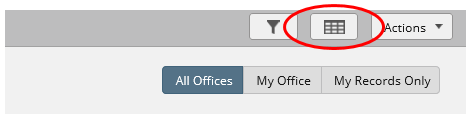
Click on the Choose Columns button at the top of the screen.
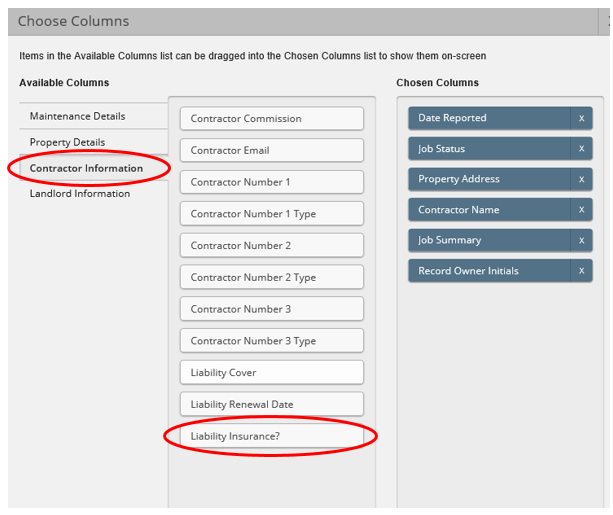
Select Contractor Information from under Available Columns. Drag Liability Insurance to the right Chosen Columns. Then click Apply.
The list will now generate with the new column. From this column you can see which contractors have Liability Insurance.
Was this article helpful?
0 out of 0 found this helpful
We're sorry to hear that. Can you tell us what went wrong?
We’re glad we could help! Is there anything you'd like to share with us?
This form is for Help Centre/Article feedback only.
This form is for Help Centre/Article feedback only.
Thank you! Your feedback helps us improve the Help Centre/this article for everyone.
Thank you! Your feedback helps us improve the Help Centre/this article for everyone.
Can't find what you're looking for? Contact support
