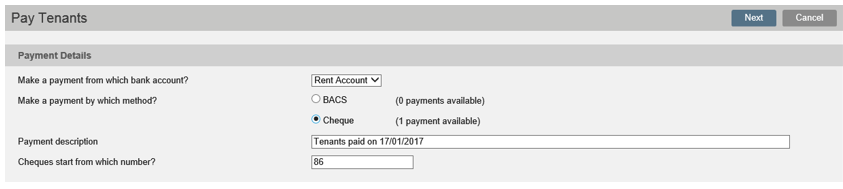
When you go to Pay Tenants, on the Accounts Dashboard, the payment method is set to Cheque.
Select Cheque payment and click Next.
Select the arrow next to the tenant details and click on the Cancel Payment option.

Enter the confirmation code and save.
The funds have now been returned to the tenant ledger.
You can now go back to the tenant record and either Refund Tenant Cash or Refund Deposit ensuring you select Auto banking as the payment method.
Was this article helpful?
0 out of 0 found this helpful
We're sorry to hear that. Can you tell us what went wrong?
We’re glad we could help! Is there anything you'd like to share with us?
This form is for Help Centre/Article feedback only.
This form is for Help Centre/Article feedback only.
Thank you! Your feedback helps us improve the Help Centre/this article for everyone.
Thank you! Your feedback helps us improve the Help Centre/this article for everyone.
Can't find what you're looking for? Contact support
