Add a Guarantor
Follow the steps below to add a guarantor to a potential tenant record
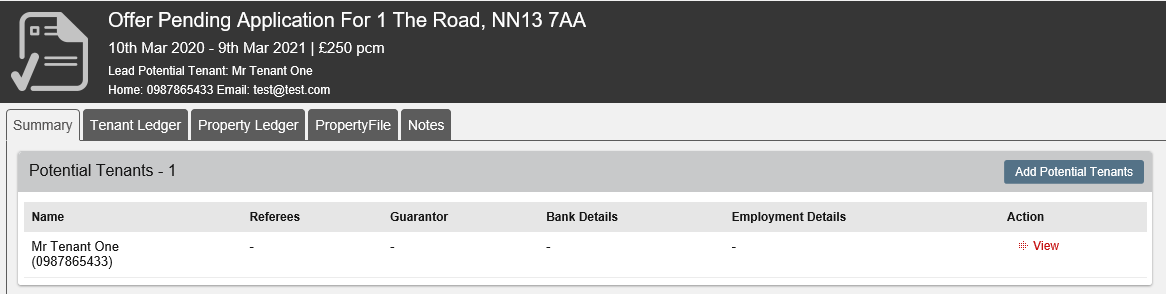
Within the Application record, go to the Potential Tenants section and click View.
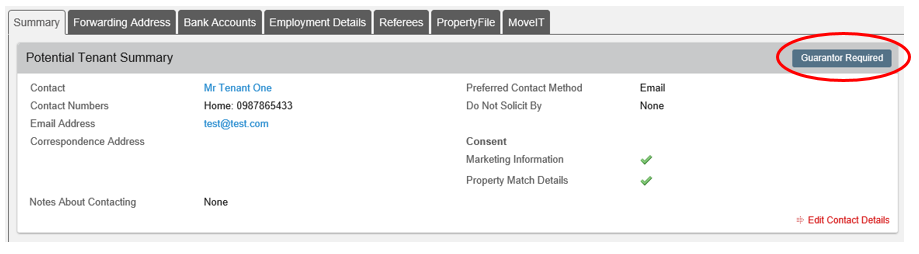
From this page, click on Guarantor Required.
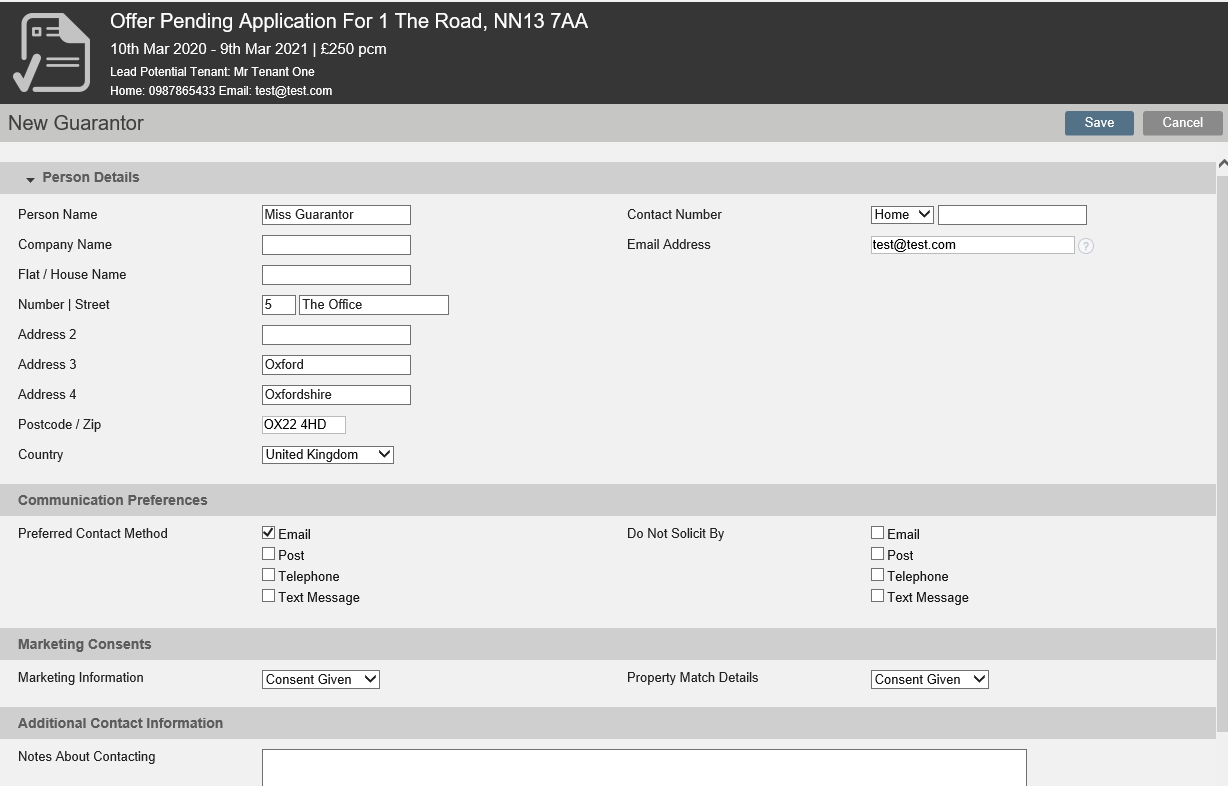
Add the Guarantor details then click Save.
The Guarantor has now been added.

Please note: Only one Guarantor can be added per Tenant.
Was this article helpful?
0 out of 0 found this helpful
We're sorry to hear that. Can you tell us what went wrong?
We’re glad we could help! Is there anything you'd like to share with us?
This form is for Help Centre/Article feedback only.
This form is for Help Centre/Article feedback only.
Thank you! Your feedback helps us improve the Help Centre/this article for everyone.
Thank you! Your feedback helps us improve the Help Centre/this article for everyone.
Can't find what you're looking for? Contact support
