1. Go to Admin/Propertyfile configuration.
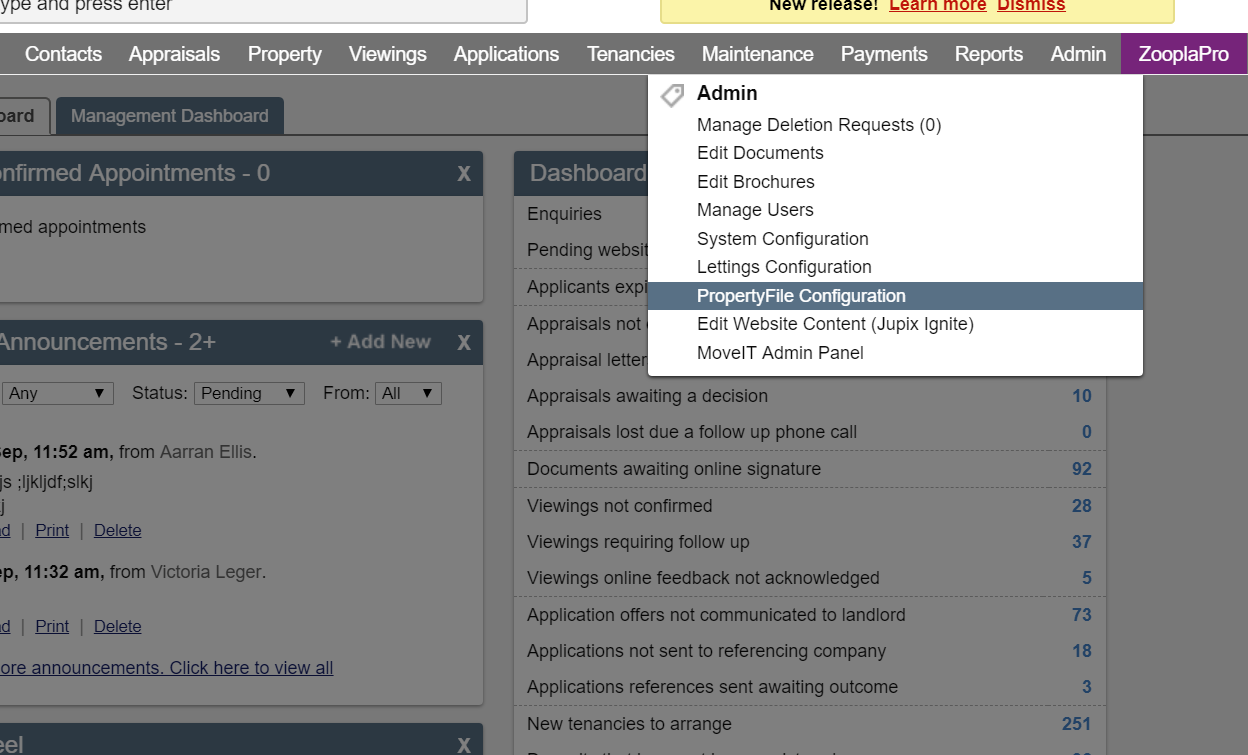
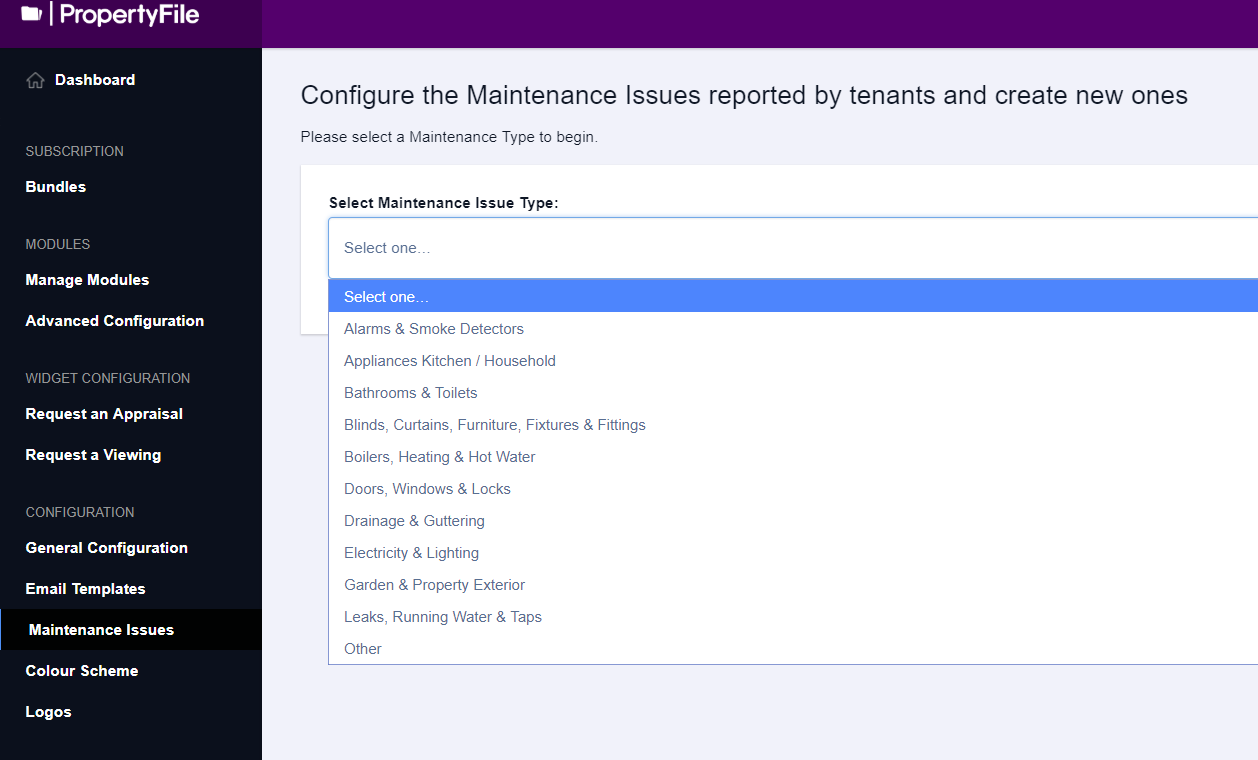
2. Click on Maintenance Issues and select the maintenance type from the drop down the menu. Select the type of issue you want to change.
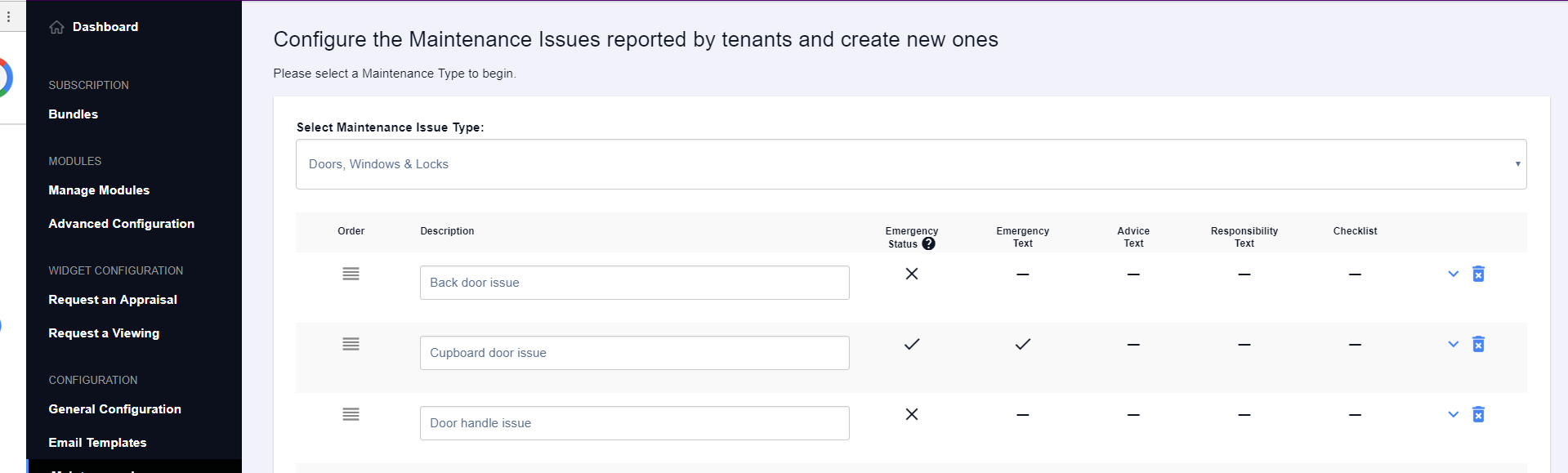
Within this category, select the particular issue you would like to amend and click the blue down arrow to open up more options.
Here you can make changes to how the maintenance issue should act when being progressed.
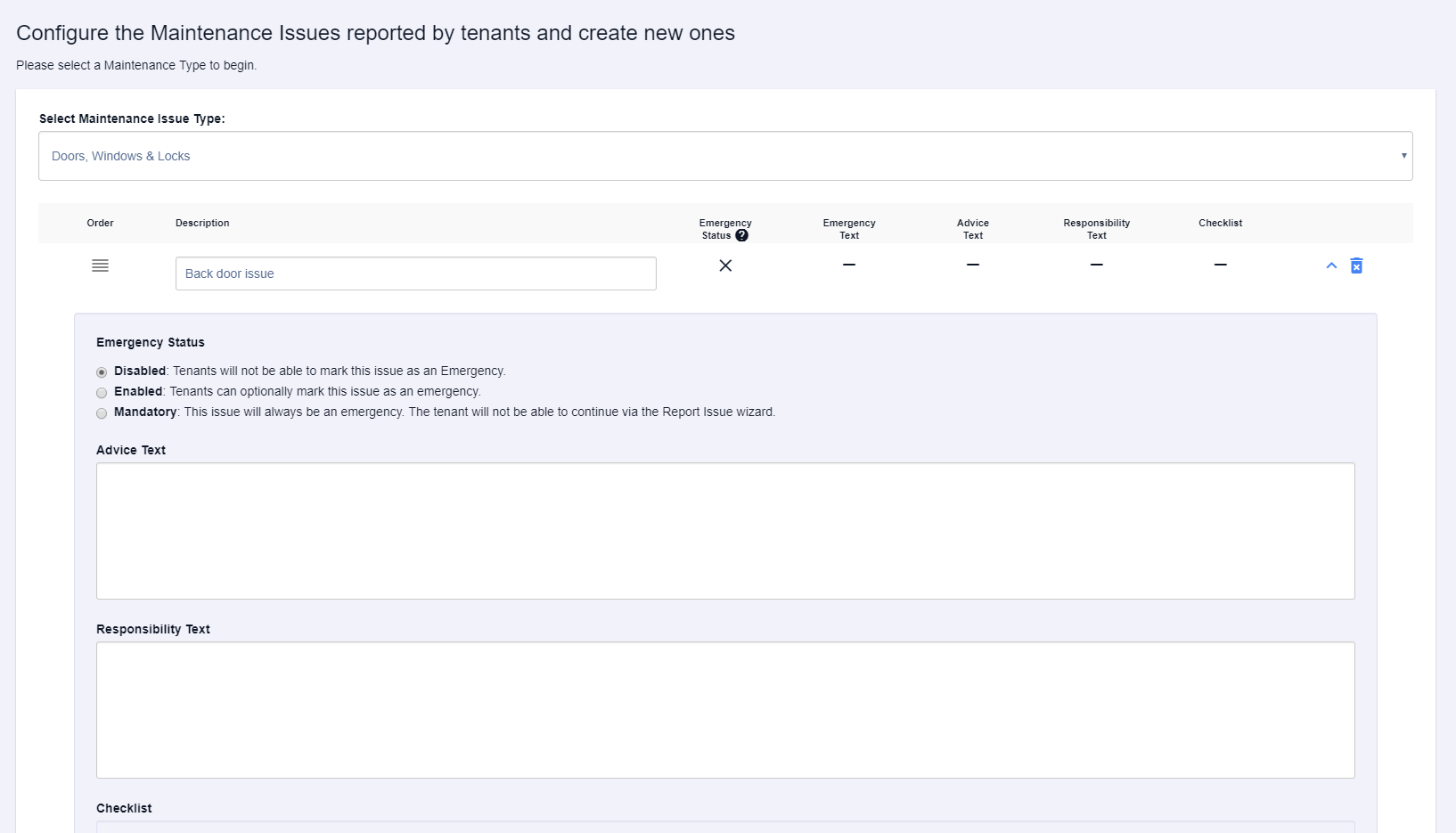
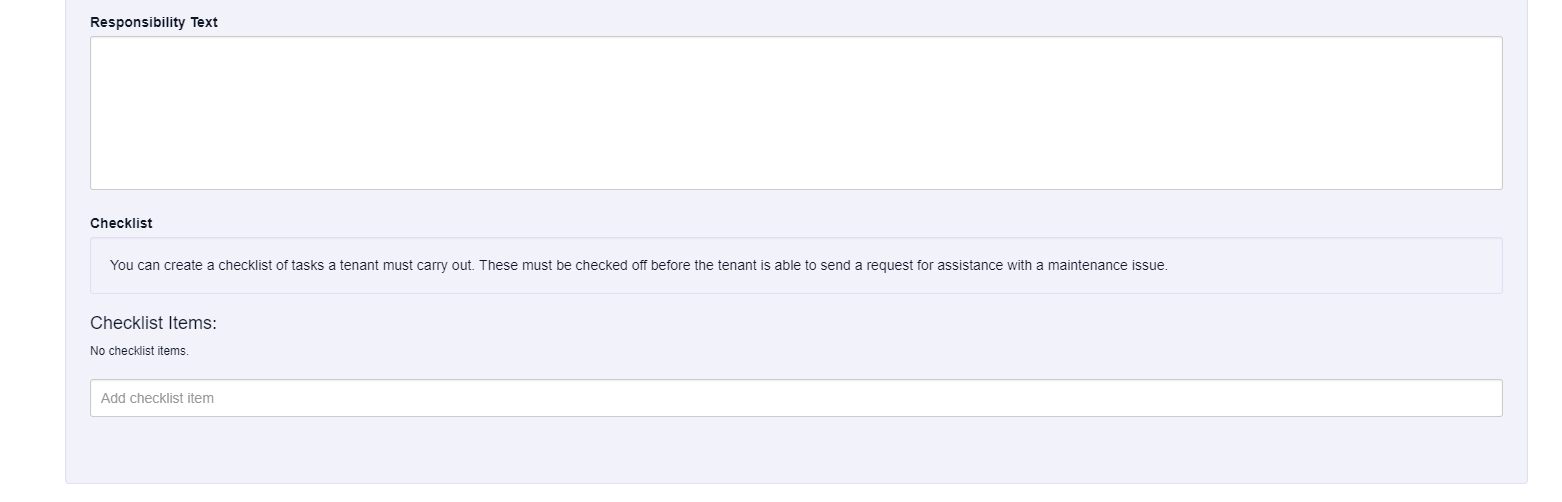
You can even add checklists for the tenant to complete before they are able to move on with reporting an issue.
Was this article helpful?
0 out of 0 found this helpful
We're sorry to hear that. Can you tell us what went wrong?
We’re glad we could help! Is there anything you'd like to share with us?
This form is for Help Centre/Article feedback only.
This form is for Help Centre/Article feedback only.
Thank you! Your feedback helps us improve the Help Centre/this article for everyone.
Thank you! Your feedback helps us improve the Help Centre/this article for everyone.
Can't find what you're looking for? Contact support
